Tag: hellobox v5 plus

  • How to recover dead Hellobox Settopbox by USB Method

    How to recover dead Hellobox Settopbox by USB Method

    How to recover dead Hellobox 8 Settopbox by USB Method

    The exact steps to recover a dead HelloBox set-top box using the USB method may vary depending on the specific model and firmware version of your device. However, in general, the process involves the following steps:

    Download the firmware update file for your HelloBox set-top box model from an official website or trusted source.

    Copy the firmware update file to a USB flash drive formatted in FAT32.

    Insert the USB flash drive into the USB port on your HelloBox set-top box.

    Turn on your HelloBox set-top box and wait for it to detect the USB flash drive.

    Follow the on-screen instructions to start the firmware update process. This may involve selecting the firmware file from the USB drive and confirming that you want to update the firmware.

    Wait for the firmware update process to complete. This may take several minutes, and your HelloBox set-top box may restart several times during the process.

    Once the firmware update process is complete, remove the USB flash drive and restart your HelloBox set-top box.
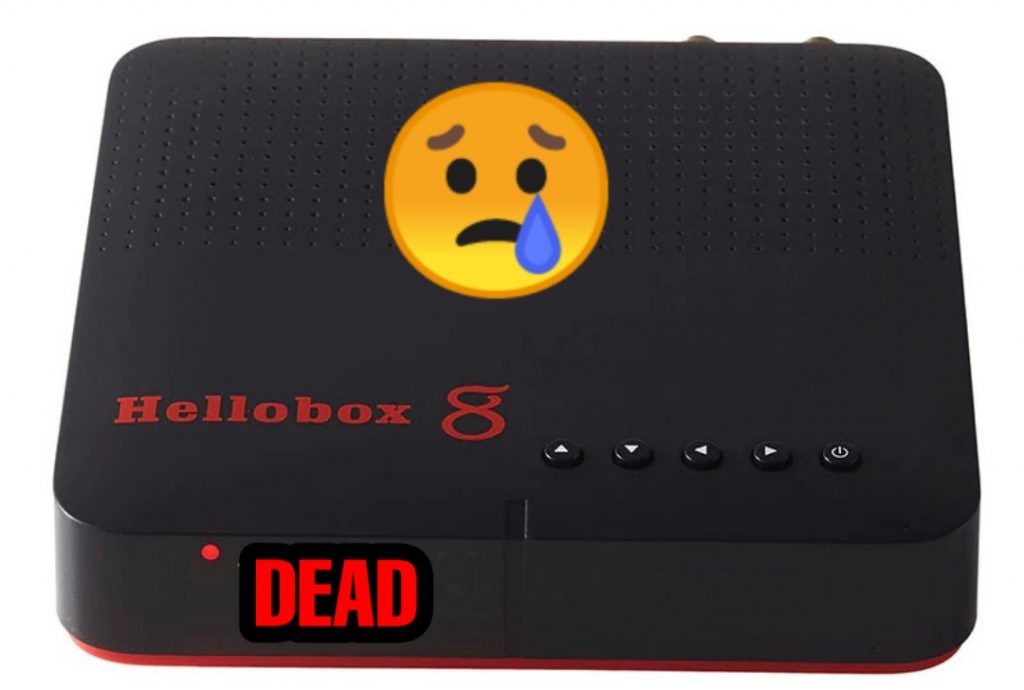
    How to recover dead Hellobox Settopbox by USB Method

    Please do it as per the below steps,
    1. Copy the attached file “auto_burn.fac”
    to USB memory devices.
    2. Insert it to Hellobox 8 then boot up 3. Check Hellobox 8 panel display 1, 2
    100, FFFF, during this period, do
    not power off!!!
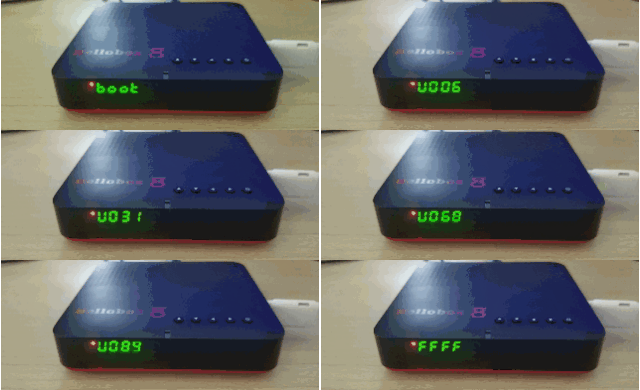
    How to recover dead Hellobox Settopbox by USB Method

    4. Plug out the USB memory device and
    reboot Hellobox 8
    5. Delete the file “auto_burn.fac” from your USB memory device.

    How to recover dead Hellobox Settopbox by USB Method

    DOWNLOAD THE RECOVERED FILE FROM BELLOW

    How to recover dead Hellobox v5 Plus Settopbox by USB Method

    Follow this process
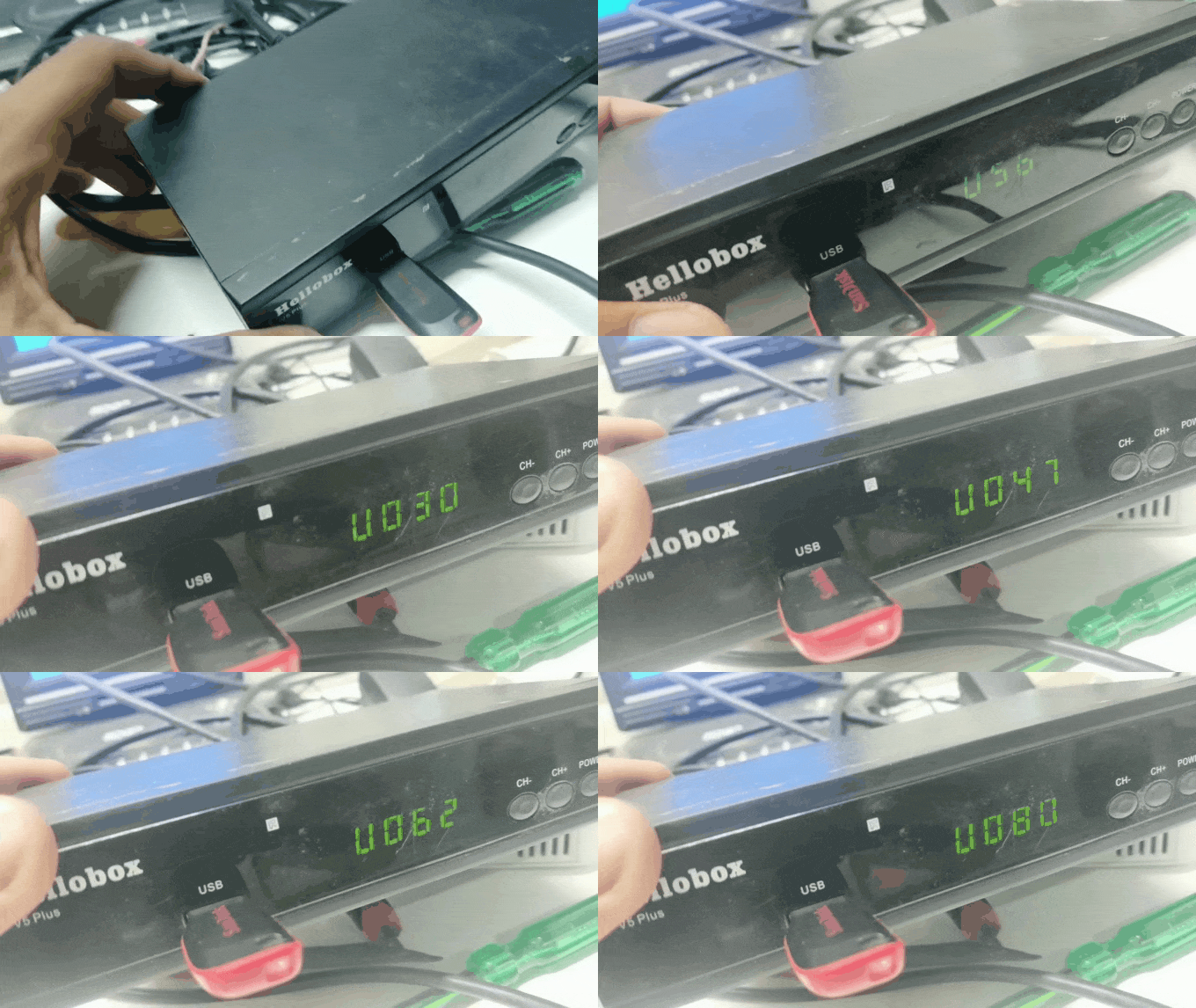
    How to recover dead Hellobox Settopbox by USB Method

    DOWNLOAD THE RECOVER FILE FROM BELLOW

    If the above steps don’t work or you face any issues during the firmware update process, you may need to consult the user manual or contact the manufacturer’s customer support for further assistance.

    Hellobox 8 Full Specifications

    Why Should Hellobox 8 Purchase?

    1. Built-in WiFi module 802.11a/b/g/n Max 300Mbps

    2. DVBPlayer for satellite TV on mobile phones (Android and iOS)

    3. DVBFinder for easy satellite installation

    4. User data safety during an online software upgrade

    5. Fully Auto-biss, Auto-PowerVu

    6. Support 3G, 4G dongle

    7. Support, new cam, mgcam

    8. HelloMenu with 3 default styles, BlueSky, Grass, and Sunset

    Special Features of Hellobox 8

    1. DVB-S2,S2X,T2 fully compliant

    2. Support H.265 HEVC 10bit

    3. SCPC & MCPC receivable from C/Ku band satellites,Multistream,T2MI Ready

    4. DiSEqC Control(DiSEqC 1.0, 1.2, 1.3(USALS))

    5. Universal LNB, NIT search support

    6. Auto and manually scan all available TV and radio channels

    7. Multi-language menu, subtitle, and audio output supported

    8. EPG,PVR, TIMESHIFT

    9. Up to 8000 channels

    10. Support YouTube, Mytube, and other Apps

    11.Lower power consumption 5W(typical),0.12W(Standby)

    Read More

    FAQ:-

    How to buy this Set-top-box?

    ans: Buy online store

  • Hellobox V5 HD Settopbox Latest Autoroll Software

    Hellobox V5 HD Settopbox Latest Autoroll Software

    Latest Autoroll Software for Hellobox 
     
                   Wellcome to the jk blog in todays post we will talk about the new updates of Hellobox receiver firmware , Guys if you have Hellobox v5 or Hellobox v5 HD then this post is very helpful for you so plz read full article and then apply firmware to you box OK !
     
    Many friends always ask me that “why we update the software ” ? I mean what is need to do software ?
     
               Today im here for clear all your dout about the software and what is the benefits of update the software,first of all all mpeg 4 settopbox has its own function and features so here we discussed about hellobox receiver basically this box also used for watch free to air channels because this is a free to air channels reciver settopbox but because of its unique function its also play paid channels with the help of power view keys and internet  connections,many channels running on powerview keys but that particular keys for limited period so when the keys expired or in case of keys changed at that time the channels stopped or scrambled ,so now if we want to watch this all channels again then need to updates powerview keys but in some cases find this particular keys very difficult  so at that time need to update new software so all keys and data update in settopbox so again all channels continue running so this is the basic information about the why need to upgrade the box ?
     
               Here you can see the logo of hellobox receiver if you have  this particular settopbox then you can upgrade the latest software .


    Hellobox V5 HD:-
     
     
    Hellobox V5+ HD:-
     
     
          Friends here it is the recent Auto Roll software for the Hello Box Set Top Box here, you can download from the link above, Friends here you’re going to run Sony Package Discovery etc.

    Product Description:-

    1.Hellobox with usb wifi function
    2.Free to air settopbox receiver
    3.HD pictures and sound quality
    4.Latest software available at its official site
    5.New channels editor functions
    6.User comfort menu interface
    7.Its support Mgcam.cccam,sharing
    8.Fully autoroll box with spe.features
    9.New OSD menu Functions
    10.Support of Sat finder option in internal software
    11.Full autoroll of Power view,Biss keys
    12.hellobox v5 and v5 HD model available
    13.1080p HD suport

    Note: 

    This post made only for the purpose of education.we do not support any hacking or illegal activity.