Skip to content
jk dish info JK Dish Info

All DTH Satellites and DD Free Dish Information

jk dish info JK Dish Info

All DTH Satellites and DD Free Dish Information

  • Home
  • Shop
    • Products
  • Sat List
  • STRONG TP 2026
  • All Dump Files
  • Softwares
    • Tools
  • Footprints
  • Free IPTV
    • All Satellite Strong Frequency TP List 2025
  • About Us
  • Cart
  • Home
  • Shop
    • Products
  • Sat List
  • STRONG TP 2026
  • All Dump Files
  • Softwares
    • Tools
  • Footprints
  • Free IPTV
    • All Satellite Strong Frequency TP List 2025
  • About Us
  • Cart
Close

Search

  • https://www.facebook.com/
  • https://twitter.com/
  • https://t.me/
  • https://www.instagram.com/
  • https://youtube.com/
Subscribe
jk dish info JK Dish Info

All DTH Satellites and DD Free Dish Information

jk dish info JK Dish Info

All DTH Satellites and DD Free Dish Information

  • Home
  • Shop
    • Products
  • Sat List
  • STRONG TP 2026
  • All Dump Files
  • Softwares
    • Tools
  • Footprints
  • Free IPTV
    • All Satellite Strong Frequency TP List 2025
  • About Us
  • Cart
  • Home
  • Shop
    • Products
  • Sat List
  • STRONG TP 2026
  • All Dump Files
  • Softwares
    • Tools
  • Footprints
  • Free IPTV
    • All Satellite Strong Frequency TP List 2025
  • About Us
  • Cart
Close

Search

  • https://www.facebook.com/
  • https://twitter.com/
  • https://t.me/
  • https://www.instagram.com/
  • https://youtube.com/
Subscribe
Home/android/HOW TO CREATE ANDROID APP ?
close up photo of a green android sticker
androidandroid app

HOW TO CREATE ANDROID APP ?

By JK Dish Info
April 28, 2025 4 Min Read
0

Creating an Android app involves several steps, from setting up your development environment to designing, coding, testing, and publishing the app. Below is a concise guide to get you started, assuming you’re new to Android development. Let me know if you have specific requirements (e.g., a particular app type or feature), and I can tailor the response further.
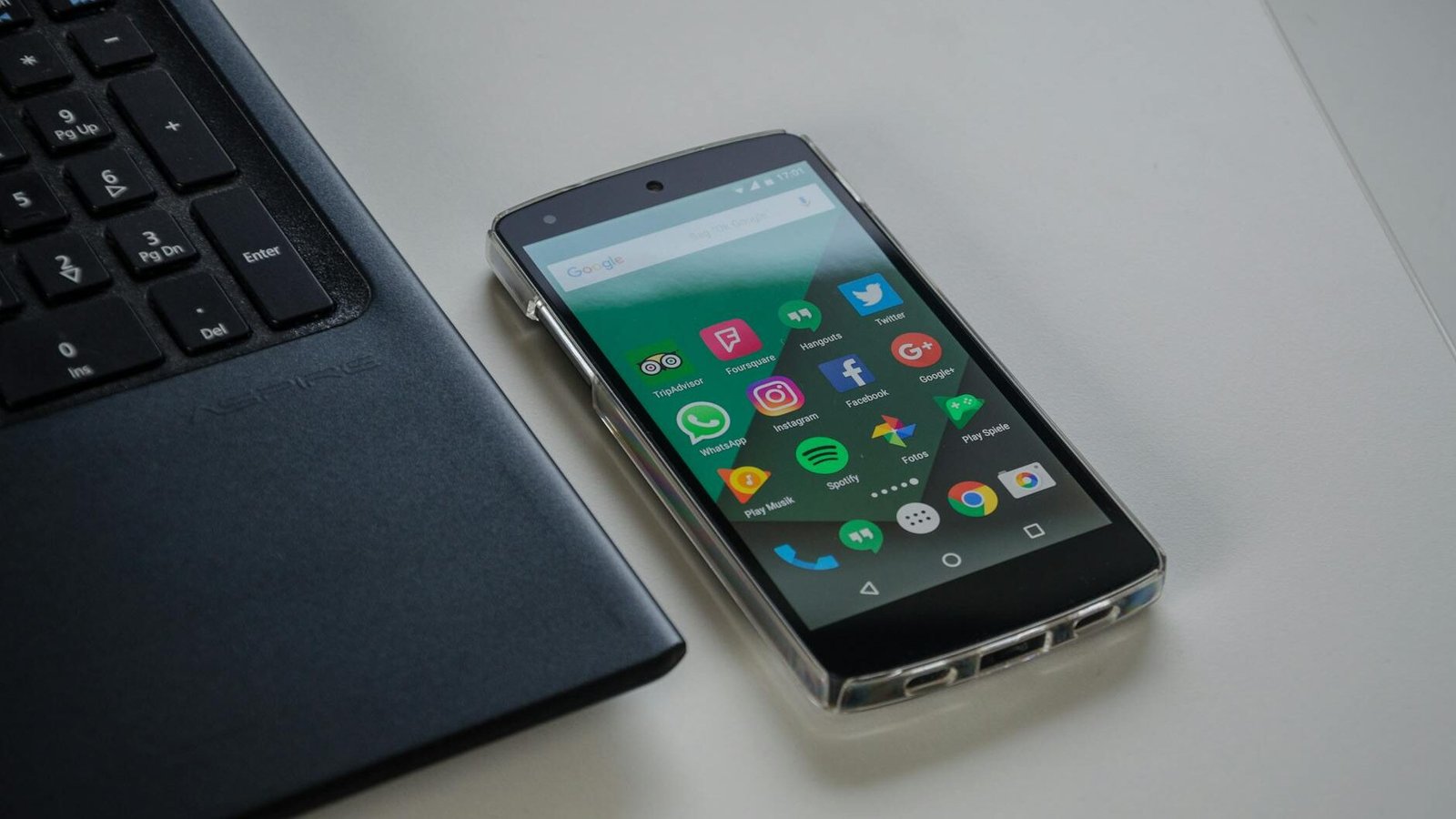
black android smartphone near laptop

Step-by-Step Guide to Creating an Android App

1. Set Up Your Development Environment

  • Install Android Studio:
  • Download and install Android Studio (the official IDE for Android development) from the official website.
  • It includes the Android SDK, emulators, and tools for building apps.
  • Follow the setup wizard to install necessary components like the SDK and an emulator.
  • Install Java Development Kit (JDK):
  • Android Studio requires JDK (version 11 or higher recommended). Download it from Oracle or use OpenJDK.
  • Set Up a Device or Emulator:
  • Use a physical Android device (enable Developer Mode and USB Debugging) or configure an emulator in Android Studio for testing.

2. Learn the Basics

  • Programming Languages:
  • Kotlin: The preferred language for Android development (modern, concise).
  • Java: Still supported, and widely used in older projects.
  • If you’re new to Kotlin or Java, learn the basics. Online resources like Kotlin documentation or Java tutorials are helpful.
  • Key Concepts:
  • Activities: Screens of your app.
  • Fragments: Modular UI components.
  • Intents: For navigating between activities or triggering actions.
  • Layouts: XML files defining the UI (or use Jetpack Compose for modern UI development).
  • Gradle: Build a system for managing dependencies.

3. Create a New Project

  • Open Android Studio and select New Project.
  • Choose a template (e.g., Empty Activity for a simple app).
  • Configure:
  • Name: Your app’s name.
  • Package Name: Unique identifier (e.g., com.example. my app).
  • Language: Kotlin or Java.
  • Minimum API Level: Target Android version (e.g., API 21 for wider compatibility).
  • Android Studio sets up a basic project structure with:
  • app/src/main/java/: Code files (Kotlin/Java).
  • app/src/main/res/: Resources (layouts, images, strings).
  • build.gradle: Dependency and build settings.

4. Design the User Interface

  • XML Layouts:
  • Edit files in res/layout/ (e.g., activity_main.xml) using the Layout Editor in Android Studio.
  • Add widgets like buttons, text fields, or images via drag-and-drop or XML code.
  • Jetpack Compose (Modern Alternative):
  • Use Compose for a programmatic, Kotlin-based UI.
  • Example:
    kotlin @Composable fun Greeting(name: String) { Text(text = "Hello, $name!") }
  • Enable Compose in build.gradle and write UI code in Kotlin.
  • Use Material Design guidelines for a polished look (Google’s design system).

5. Write the App Logic

  • Edit the main activity file (e.g., MainActivity.kt for Kotlin).
  • Example (Kotlin with a button click):
  class MainActivity : AppCompatActivity() {
      override fun onCreate(savedInstanceState: Bundle?) {
          super.onCreate(savedInstanceState)
          setContentView(R.layout.activity_main)

          val button = findViewById<Button>(R.id.myButton)
          button.setOnClickListener {
              Toast.makeText(this, "Button Clicked!", Toast.LENGTH_SHORT).show()
          }
      }
  }
  • Handle user inputs, API calls, or database operations as needed.
  • Use Jetpack libraries for modern development:
  • ViewModel: Manage UI data.
  • LiveData/Flow: Observe data changes.
  • Room: Local database.
  • Navigation: Manage screen transitions.

6. Test Your App

  • Run on Emulator:
  • Create a virtual device in Android Studio’s Device Manager (e.g., Pixel 6 with Android 13).
  • Click the Run button to test.
  • Run on Physical Device:
  • Connect your Android phone via USB, enable Developer Options, and select it in Android Studio.
  • Debugging:
  • Use Android Studio’s Logcat to view logs and fix errors.
  • Test on multiple screen sizes and Android versions.
  • Unit Testing:
  • Write tests using JUnit for logic.
  • Use Espresso or UI Automator for UI testing.

7. Add Features (Optional)

  • Networking: Use Retrofit or Volley for API calls.
  • Database: Use Room for local storage or Firebase for cloud-based data.
  • Permissions: Handle runtime permissions (e.g., camera, location) in AndroidManifest.xml and code.
  • Push Notifications: Integrate Firebase Cloud Messaging.
  • Analytics: Add Firebase Analytics to track user behavior.

8. Build and Publish

  • Generate a Signed APK/AAB:
  • Go to Build > Generate Signed Bundle/APK.
  • Create a keystore and sign your app.
  • Choose APK (for manual distribution) or AAB (for Google Play).
  • Optimize:
  • Minify code with ProGuard/R8 (enabled in build.gradle).
  • Optimize images and resources.
  • Publish to Google Play:
  • Create a Google Play Developer account ($25 one-time fee).
  • Prepare store listing (screenshots, description, icon).
  • Upload your AAB to the Play Console, set up pricing, and submit for review.
  • Alternative Stores:
  • Publish to Amazon Appstore, Samsung Galaxy Store, or distribute APK directly.

9. Maintain and Update

  • Monitor crash reports via Google Play Console or Firebase Crashlytics.
  • Release updates with bug fixes or new features.
  • Gather user feedback to improve the app.

Tools and Resources

  • Learning:
  • Android Developer Guides: Official documentation.
  • Kotlin Bootcamp: Free course.
  • [Udemy/Coursera]: Affordable Android development courses.
  • Libraries:
  • Jetpack: Navigation, Room, WorkManager.
  • Retrofit: API calls.
  • Glide/Picasso: Image loading.
  • Community:
  • Stack Overflow, Reddit (r/androiddev), and X posts for real-time tips.
  • Example: Recent X posts (as of April 2025) highlight Kotlin Multiplatform for cross-platform apps and Jetpack Compose for faster UI development.

Tips for Success

  • Start with a simple app (e.g., a to-do list or calculator) to learn the basics.
  • Use version control (Git/GitHub) to manage code.
  • Follow Android best practices (e.g., MVVM architecture).
  • Test on low-end devices to ensure performance.

445

Tags:

Android app APKAndroid app for WindowsAndroid app free downloadAndroid app StoreAndroid apps downloadMy Android appsPlay Store appPlay Store download
Author

JK Dish Info

I'm Jayesh Kumar for sharing all Satellites Information and free Channel update

Follow Me
Other Articles
DD Free Dish
Previous

DD Free Dish is India’s free-to-air (FTA) direct-to-home (DTH)

biss key kya hota hai
Next

BISS KEY क्या है? और कैसे काम करता है ? | What is BISS Keys?

No Comment! Be the first one.

Leave a Reply Cancel reply

Your email address will not be published. Required fields are marked *

Products

  • Mediastar DIGITAL SATELLITE RECEIVER | Mediastar MS Mini1111 Forever Mediastar DIGITAL SATELLITE RECEIVER | Mediastar MS Mini1111 Forever ₹2,999.00 Original price was: ₹2,999.00.₹2,750.00Current price is: ₹2,750.00.
  • SOLID HDS2-6147 DVB-S2/MPEG-4 FullHD FTA Set-Top Box with SOLID OTT App SOLID HDS2-6147 DVB-S2/MPEG-4 FullHD FTA Set-Top Box with SOLID OTT App ₹1,600.00 Original price was: ₹1,600.00.₹1,250.00Current price is: ₹1,250.00.
  • PREMIUM HD X15200 ANDROID 4k Receiver PREMIUM HD X15200 ANDROID 4k Receiver ₹9,999.00 Original price was: ₹9,999.00.₹9,900.00Current price is: ₹9,900.00.
  • 4G LTE Wireless Dongle with All SIM Network Support | Plug & Play Data Card Stick with up to 150Mbps WiFi Hotspot 4G LTE Wireless Dongle with All SIM Network Support | Plug & Play Data Card Stick with up to 150Mbps WiFi Hotspot ₹4,999.00 Original price was: ₹4,999.00.₹2,999.00Current price is: ₹2,999.00.
  • Dishtv dishSMRT Hub Full HD Android Set-top-box Dishtv dishSMRT Hub Full HD Android Set-top-box ₹1,999.00 Original price was: ₹1,999.00.₹1,650.00Current price is: ₹1,650.00.
  • SOLID HDS2X-7299 HEVC 8bits H.265 Free-To-Air Set-Top Box | DD Free Dish Box | Unboxing and Review
    September 12, 2026 by JK Dish Info

Most Viewed Posts

  • Latest Free Iptv .m3u Files | Free m3u Playlist Download Links
  • Strong TP All Satellite 2026 Frequency List
  • What is Forever Server? Forever Server Working Satellite List
  • All Satellite Strong Frequency TP List 2025
  • Biometric Attendance System (BAS) Installation of RD Service Enabled Setup for Windows-Desktop DevicesBiometric Attendance System (BAS) | BAS Client Software
  • Mediastar MS-MINI2727 Forever H-265 Dvbs-2 ReceiverMediastar MS-MINI 2727 Forever Unboxing and Full Review | JK Dish Info

RSS feed: JK Dish Info JK Dish Info

  • SOLID HDS2X-7299 HEVC 8bits H.265 Free-To-Air Set-Top Box | DD Free Dish Box | Unboxing and Review September 12, 2026
    JK Dish Info

Today’s

October 2026
M T W T F S S
 1234
567891011
12131415161718
19202122232425
262728293031  
« Mar    

Our Latest Videos

  • SOLID HDS2X-7299 HEVC 8bits H.265 Free-To-Air Set-Top Box | DD Free Dish Box | Unboxing and Review
  • Share mobile screen with TV, Chrome cast settings #settings #tvsettings #tv Xstream Box Inbuilt
  • Live highlight
  • Airtel Xstream Box - Smart Android TV & DTH All-In-One ⚡ DD Free Dish BHI Android TV Bhi
  • All DTH Product's Live Video of Jk Dish Info

Visitors

13217841
Visit Today : 49
Visit Yesterday : 226
This Month : 748
This Year : 150771
  • SOLID HDS2X-7299 HEVC 8bits H.265 Free-To-Air Set-Top Box | DD Free Dish Box | Unboxing and Review
    September 12, 2026 by JK Dish Info

📡 Latest Satellite Updates

Latest updates from our satellite information feed

Loading latest updates...

All DTH Satellites and DD Free Dish Information

  • Home
  • Affiliate Programs
  • Disclaimer
  • Privacy Policy
  • Contact us
  • About Us

Products

  • Mediastar DIGITAL SATELLITE RECEIVER | Mediastar MS Mini1111 Forever Mediastar DIGITAL SATELLITE RECEIVER | Mediastar MS Mini1111 Forever ₹2,999.00 Original price was: ₹2,999.00.₹2,750.00Current price is: ₹2,750.00.
  • SOLID HDS2-6147 DVB-S2/MPEG-4 FullHD FTA Set-Top Box with SOLID OTT App SOLID HDS2-6147 DVB-S2/MPEG-4 FullHD FTA Set-Top Box with SOLID OTT App ₹1,600.00 Original price was: ₹1,600.00.₹1,250.00Current price is: ₹1,250.00.
Copyright 2026 — JK Dish Info. All rights reserved. Blogsy WordPress Theme
1
WhatsApp
Hello
Welcome to The JK Dish Info
We will Reply Soon, Stay tuned
check out:
Free Giveaway
Like | Share | Subscribe | Comments
Our Youtube Channel
1.https://www.youtube.com/jkdishinfo
Our Official Website
https://jkdishinfo.com/
DTH Products Buy Online
https://jkdishinfo.in/shop/
Open chat