Looking for working free IPTV M3U playlist URLs to stream live television across the globe? Below is a comprehensive guide explaining what M3U files are, how to import them into your Set-Top Box or media players like VLC, and direct links to public, legal free-to-air playlists organised by country.
What is an M3U IPTV Playlist?
An M3U playlist is a plain-text file format (.m3u or .m3u8) that contains web stream addresses (URLs) for television channels, radio stations, and media broadcasts. Rather than tuning into a physical satellite transponder or cable feed, an IPTV player reads these URLs over an internet connection to stream digital video directly to your screen.
Supported Devices & Applications
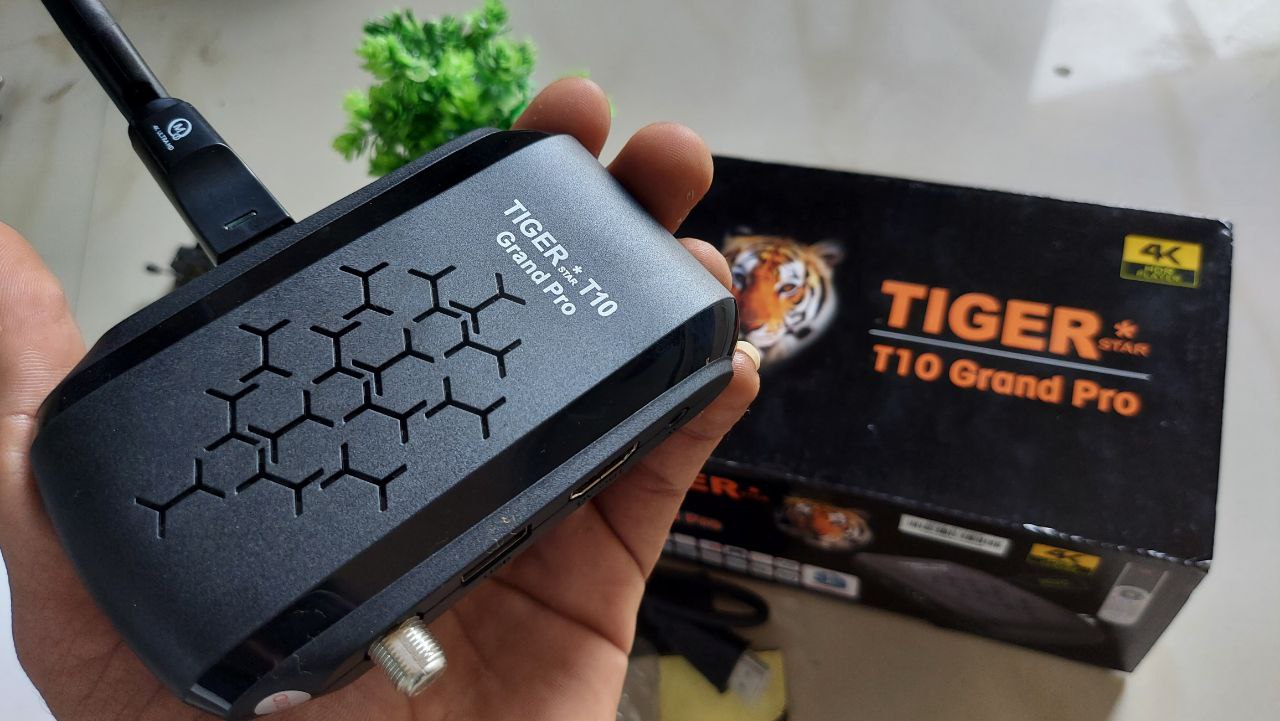
- Satellite Set-Top Boxes: FTA boxes with USB IPTV import functions (e.g., GX6605S, Montage, Sunplus chipsets).
- Media Players: VLC Media Player, PotPlayer, Kodi.
- Smartphones & Tablets: IPTV Smarters Pro, OTT Navigator, GSE Smart IPTV.
- Smart TVs & Android Boxes: TiviMate, Smart IPTV app.
How to Load M3U Files into Your Setup
1. On an FTA / Android Satellite Set-Top Box
- Download your preferred
.m3ufile onto a formatted USB pendrive. - Insert the USB drive into your receiver’s USB port.
- Open Menu $\rightarrow$ navigate to IPTV / Network App.
- Select Import / Local IPTV and choose the
.m3ufile from your storage. - Ensure your box is connected to the internet via Wi-Fi or Ethernet to start streaming.
2. On VLC Media Player (PC / Android)
- Direct File: Open VLC $\rightarrow$ Media $\rightarrow$ Open File $\rightarrow$ select your
.m3ufile. - Direct Network URL: Open VLC $\rightarrow$ press
Ctrl + N(Open Network Stream) $\rightarrow$ paste any playlist link from the table below $\rightarrow$ click Play.
Country-Wise Free IPTV M3U Playlists
Below is the consolidated directory of public, legal free-to-air channel feeds organised by region.
| Country | Playlist URL (.m3u) |
| India | [https://iptv-org.github.io/iptv/countries/in.m3u](https://iptv-org.github.io/iptv/countries/in.m3u) |
| United States | [https://iptv-org.github.io/iptv/countries/us.m3u](https://iptv-org.github.io/iptv/countries/us.m3u) |
| United Kingdom | [https://iptv-org.github.io/iptv/countries/uk.m3u](https://iptv-org.github.io/iptv/countries/uk.m3u) |
| Canada | [https://iptv-org.github.io/iptv/countries/ca.m3u](https://iptv-org.github.io/iptv/countries/ca.m3u) |
| Australia | [https://iptv-org.github.io/iptv/countries/au.m3u](https://iptv-org.github.io/iptv/countries/au.m3u) |
| Germany | [https://iptv-org.github.io/iptv/countries/de.m3u](https://iptv-org.github.io/iptv/countries/de.m3u) |
| France | [https://iptv-org.github.io/iptv/countries/fr.m3u](https://iptv-org.github.io/iptv/countries/fr.m3u) |
| Italy | [https://iptv-org.github.io/iptv/countries/it.m3u](https://iptv-org.github.io/iptv/countries/it.m3u) |
| Spain | [https://iptv-org.github.io/iptv/countries/es.m3u](https://iptv-org.github.io/iptv/countries/es.m3u) |
| Russia | [https://iptv-org.github.io/iptv/countries/ru.m3u](https://iptv-org.github.io/iptv/countries/ru.m3u) |
| China | [https://iptv-org.github.io/iptv/countries/cn.m3u](https://iptv-org.github.io/iptv/countries/cn.m3u) |
| Japan | [https://iptv-org.github.io/iptv/countries/jp.m3u](https://iptv-org.github.io/iptv/countries/jp.m3u) |
| Pakistan | [https://iptv-org.github.io/iptv/countries/pk.m3u](https://iptv-org.github.io/iptv/countries/pk.m3u) |
| Bangladesh | [https://iptv-org.github.io/iptv/countries/bd.m3u](https://iptv-org.github.io/iptv/countries/bd.m3u) |
| United Arab Emirates | [https://iptv-org.github.io/iptv/countries/ae.m3u](https://iptv-org.github.io/iptv/countries/ae.m3u) |
| Saudi Arabia | [https://iptv-org.github.io/iptv/countries/sa.m3u](https://iptv-org.github.io/iptv/countries/sa.m3u) |
| Turkey | [https://iptv-org.github.io/iptv/countries/tr.m3u](https://iptv-org.github.io/iptv/countries/tr.m3u) |
| Brazil | [https://iptv-org.github.io/iptv/countries/br.m3u](https://iptv-org.github.io/iptv/countries/br.m3u) |
| International (Global) | [https://iptv-org.github.io/iptv/countries/int.m3u](https://iptv-org.github.io/iptv/countries/int.m3u) |
Tip: Copy the link address and paste it directly into your IPTV application to ensure automatic updates whenever streams refresh.
Recommended Hardware
To run high-bitrate Full HD and 4K IPTV streams without buffering or interface lag, a dedicated Android TV streaming box is recommended:
- Android 4K TV Box: Quad-Core Processor, 2GB RAM, 16GB Storage, Dual-Band Wi-Fi, with Air Mouse / Wireless Keyboard support.
Legal Notice & DMCA Disclaimer
Disclaimer: This website does not host, broadcast, or store any proprietary video content or media streams on its servers. All playlist URLs indexed here point to open, publicly accessible free-to-air feeds made available on the web by the respective copyright holders. All trademarks, channel logos, and streams belong to their respective owners. If you are a copyright holder and wish to request removal of a link, please contact the hosting service directly or reach out via our contact page.